Your browser sessions keep getting flagged, and the clicks never stick. Many tools promise automated visits but skip screenshot proof, leak traffic across the wrong device type, or bill you for sessions that never load a page. That gap between paid visits and verified ones is usually why people start comparing alternatives.
This article breaks down what separates usable CTR manipulation tools from weak ones: session realism, proof, and billing. You will get a clear comparison of CTRTool, TrafficBotPro and Traffic Creator, plus criteria for matching each to Google Search, Maps or AI Overview goals, and a final verdict with one top pick.
What to Look For in CTR Manipulation Tools for Automated Browser Sessions
Evaluating CTR manipulation tools requires looking beyond surface-level claims and focusing on how realistically they simulate human search behavior across automated browser sessions. The core challenge is simple to state and hard to solve: automated sessions must be indistinguishable from real users to search engines.
Search engines analyze behavioral signals closely. A click that arrives too fast, from a suspicious IP, or from a browser with mismatched fingerprint data is easy to flag. That makes realism the foundation of any serious CTR manipulation tool.
This section sets out three pillars used throughout the article to compare tools:
- Session realism: how human-like the interaction appears, from proxy quality to mouse movement.
- Proof: verifiable evidence that visits actually happened as described.
- Billing: how credits map to actions and how transparent consumption is.
Each pillar is examined in detail below. The criteria are applied consistently to every tool covered in this roundup, so comparisons stay grounded in observable features rather than marketing language.
Session Realism, Proof and Credit Billing
Session realism hinges on factors like IP diversity via residential proxies, randomized user-agent strings, and simulated mouse movements that mimic natural browsing patterns. Tools built on headless browser frameworks such as Puppeteer, Selenium, or Playwright must also handle anti-bot detection, cookie handling, and CAPTCHA bypass without leaving detectable traces.
Proxy type matters most. Residential proxies route traffic through real consumer IPs, while datacenter proxies are easier for search engines to identify and block. Fingerprint randomization across canvas, WebGL, and installed fonts adds another layer, since mismatched fingerprints are a common detection signal.
Human-like behavior completes the picture. Variable dwell time, natural scroll patterns, and irregular click timing keep bounce rate and session length within believable ranges for organic traffic simulation.
Proof separates credible tools from vague ones. Look for screenshots of search results and landing pages, visit logs with timestamps, and keyword position tracking that shows movement over time. Opaque reporting is a red flag.
Credit billing should be equally clear. Credits typically map to actions, with desktop and mobile visits sometimes priced differently. Check whether unused credits roll over and whether consumption is itemized. Vague billing terms and missing visit records are warning signs worth taking seriously.
1. CTRTool - Best Overall
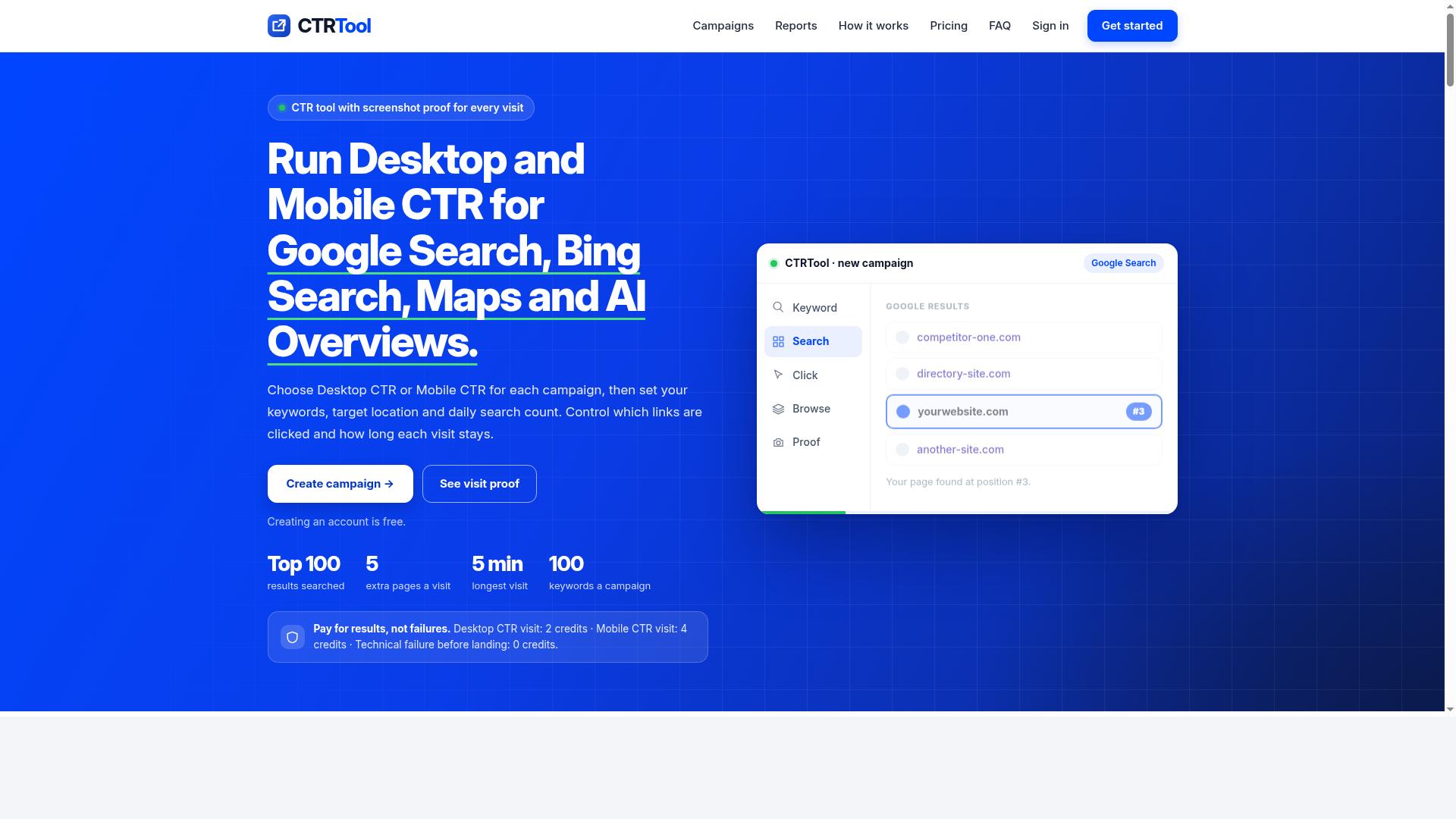
CTRTool earns the top spot for its combination of verifiable screenshot proof, multi-platform campaign support, and transparent credit-based pricing. For SEO practitioners and agencies running CTR manipulation campaigns, that mix removes much of the guesswork that surrounds automated browser sessions.
Most tools in this category ask you to trust that clicks happened. CTRTool instead documents each visit, which matters when behavioral signals are the whole point of the exercise. The platform is built for people who manage search engine ranking work across multiple clients and need evidence to show for it.
It covers Google Search, Bing Search, Google Maps, and AI Overviews, so one tool handles the surfaces where organic CTR is usually contested. Sessions run on Desktop Chrome windows and real Android phone sessions, matched to the target location through managed proxy routes. That combination of coverage and proof is what separates it from the rest of this roundup.
Campaign Types, Screenshot Proof and Pricing
CTRTool offers four campaign types: Google Search CTR, Bing Search CTR, Google Maps CTR, and AI Overview CTR, each with desktop and mobile options and screenshot proof for every visit. You pick Desktop or Mobile CTR per campaign, which lets you split testing across device types without rebuilding the setup.
- Google Search CTR: search a keyword and click the organic result, with search depth up to the top 100 results and support for internal pages.
- Bing Search CTR: the same keyword-driven flow applied to Bing results.
- Google Maps CTR: find a business listing and click its website link, with up to 50 listings checked and city targeting.
- AI Overview CTR: locate your website in the overview and click its source link, which requires a matching source link.
Campaign setup supports up to 100 keywords, a target URL, internal page URLs, and link text. You can also define daily search counts with now, spread out, or gap timing, plus days, hours, and time zone, with daily goals resetting at 00:00 UTC. Each visit can include up to five additional pages and run up to five minutes total, with click order and scrolling time under your control.
Proof comes in the form of separate search and landing screenshots for every visit, along with full visit paths. Reports also track keyword positions over time, including Search positions, Maps listing order, and AI citation order. Targeting can be set to a country, state, and city, or left as Any country for a natural mix of locations.
Pricing is credit-based and published openly. Starter costs $59/month for 2,000 credits, covering up to 1,000 desktop or 500 mobile visits. Growth costs $125/month for 5,000 credits, covering up to 2,500 desktop or 1,250 mobile visits. Custom form filling or other custom actions are available through support with a separate agreed one-time fee.
2. TrafficBotPro
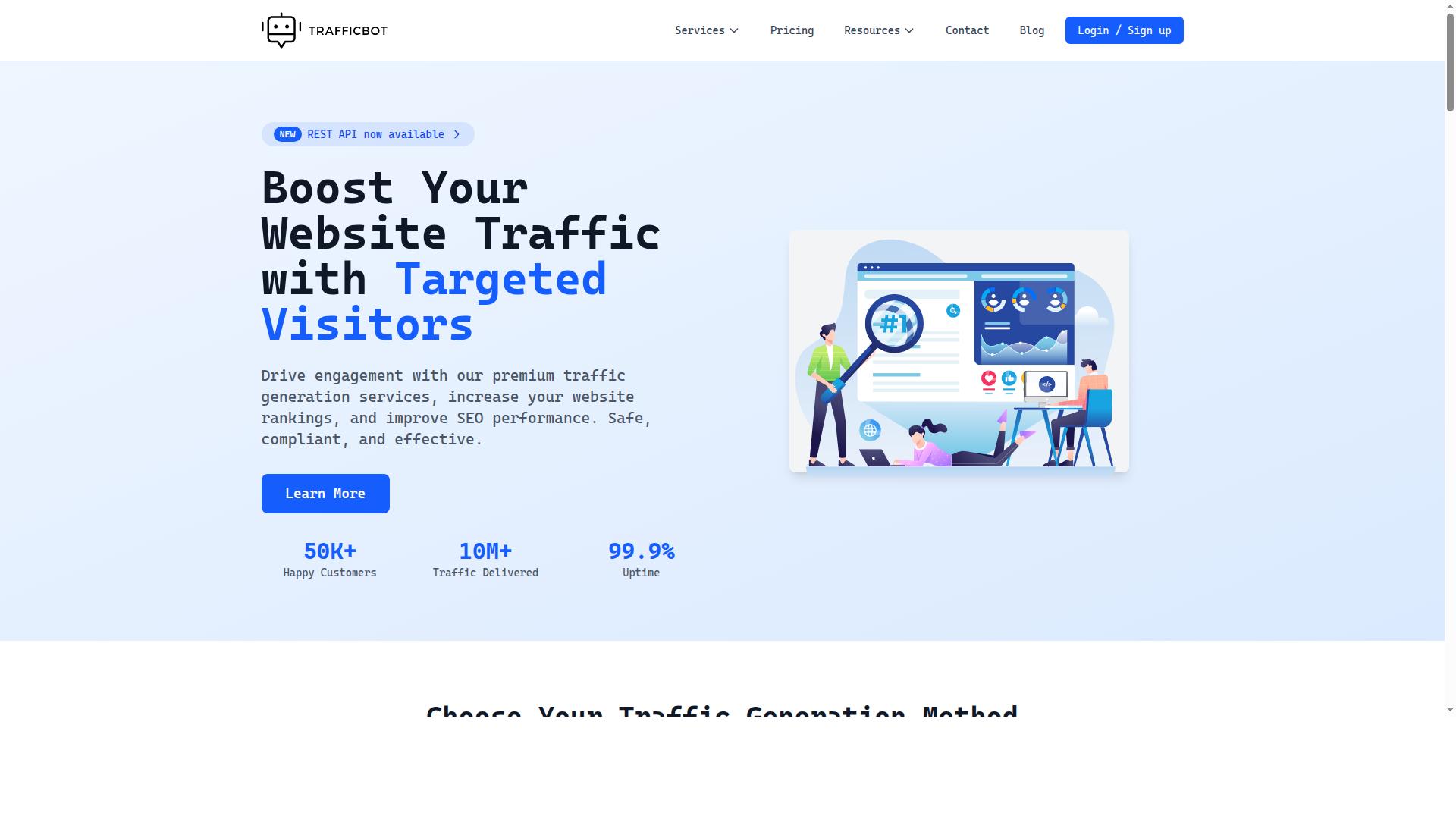
TrafficBotPro is a general-purpose traffic automation tool that can be adapted for CTR manipulation, though it lacks specialized features for search engine campaigns. It sits in the broader category of traffic bots and browser automation platforms rather than in the narrower niche of SEO tools built around SERP clicks.
That distinction matters when you are planning automated browser sessions for click-through rate work. A general platform may cover the mechanics of launching sessions and routing traffic, but search-specific behavior often has to be assembled by the user.
Public information about this product is thin. Comparison listings that reference similarly named traffic tools offer little detail on features, pricing, or intended use cases, so any evaluation here stays at the level of category expectations rather than confirmed specs.
Readers considering it should treat it as a starting framework. Expect to invest time in configuration and testing before any campaign resembles organic search behavior.
Automated Browser Session Capabilities and Limitations
TrafficBotPro supports automation frameworks like Puppeteer and Selenium, allowing for scripted browser sessions with customizable user agents and proxy settings. These are the building blocks most traffic bots rely on, and they give technically comfortable users room to shape sessions to their needs.
Typical capabilities in this class of tool may include headless browser operation, proxy rotation with residential proxies, and cookie and session management across runs. Basic anti-bot evasion techniques are often part of the package as well, though the depth of fingerprint randomization can vary widely between platforms.
Limitations tend to appear on the search side. There may be no built-in screenshot proof of a completed session, no native keyword position tracking, and no ready-made path for simulating an organic search journey. Custom scripting is usually required to model search queries, SERP interaction, dwell time, and click patterns in a way that looks human.
Effectiveness depends heavily on configuration and ongoing maintenance. Proxy quality, browser fingerprint consistency, and session hygiene all influence whether automated traffic passes anti-bot detection, and small missteps can undermine an entire campaign. Because verified details about this specific product are scarce, treat any feature list as something to confirm directly before committing budget.
- Strengths: flexible scripting via Puppeteer and Selenium, proxy support, customizable user agents
- Gaps to plan for: keyword targeting logic, SERP click simulation, proof of session completion
- Maintenance load: higher than a purpose-built CTR tool, since scripts and proxies need regular review
For teams with developer resources, that flexibility can be an advantage. For marketers who want campaigns running quickly, the manual configuration overhead is the main trade-off to weigh.
3. Traffic Creator
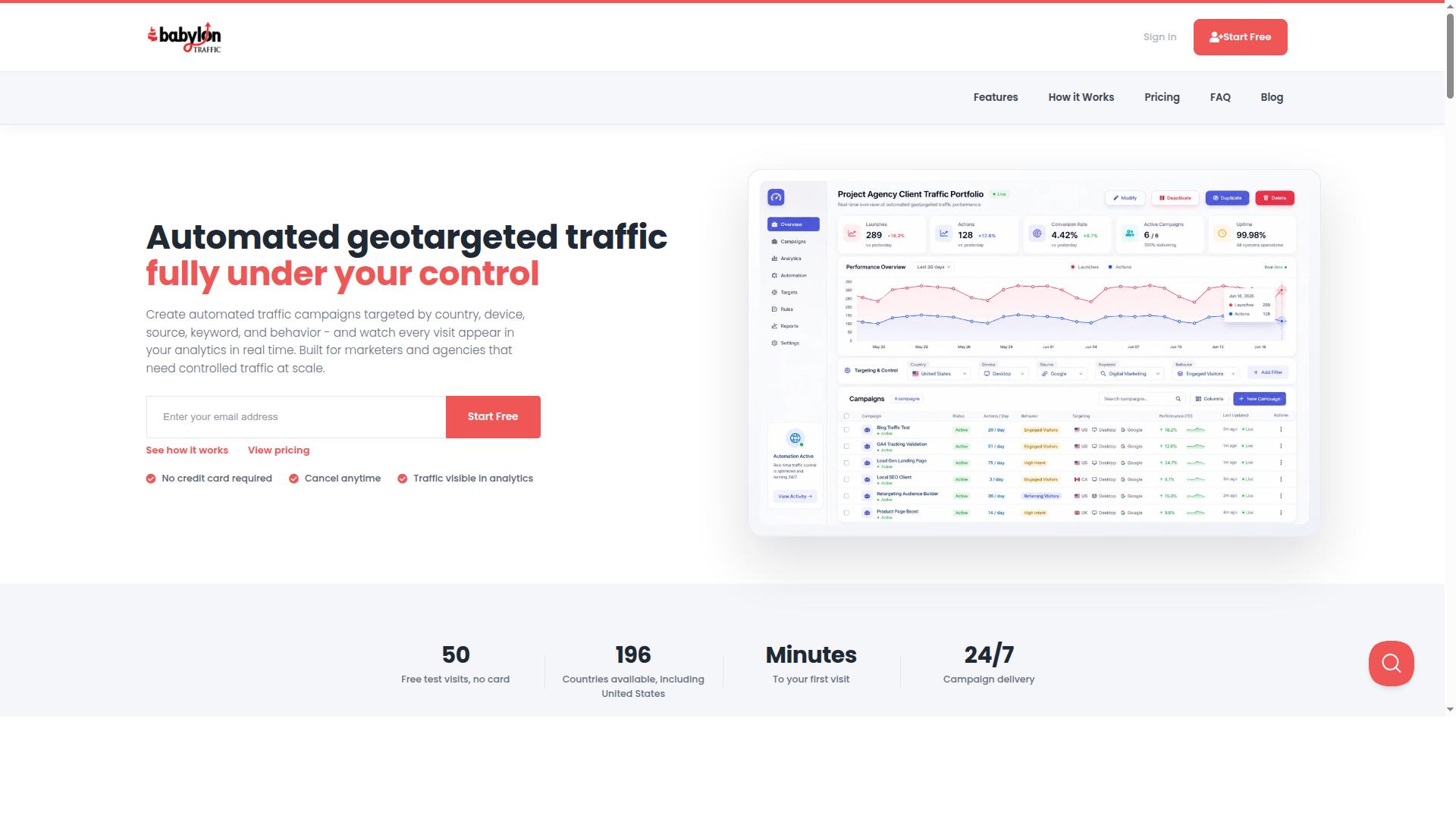
Traffic Creator focuses on simulating organic traffic through automated sessions, with an emphasis on behavioral signals like dwell time and bounce rate. The idea is to make a page look actively engaged with, rather than simply visited.
It is typically positioned for SEO and ranking experiments, where the goal is to see whether improved behavioral metrics shift search engine ranking over time. Teams use it to test how a page performs when it looks like real users are spending time on it.
Descriptions of the tool often mention referrer spoofing and mouse movement simulation. These claims are not independently confirmed, so treat them as marketing statements rather than verified capabilities. Research suggests that any tool in this category should be evaluated on observed behavior, not on feature lists alone.
It is worth noting the broader context. Automated click generation sits in a gray area, and public write-ups on click-through rate manipulation warn that it can conflict with search engine policies. That does not make every experiment worthless, but it does mean expectations should stay modest.
Session Automation Features and Trade-offs
Traffic Creator provides session automation with configurable parameters for user-agent strings, proxy rotation, and visit duration, but may lack granular control over search engine interactions. In practice, that means you can shape how a session looks at a surface level without fully controlling what it does.
Commonly described options include:
- Customizable session length to influence dwell time
- Proxy support across residential and datacenter pools
- User-agent spoofing to vary the browser profile presented
- Referrer management to control where visits appear to originate
The trade-offs matter more than the feature list. The tool may not offer screenshot proof or detailed visit logs, which makes verification difficult. Without those records, you cannot confirm a session actually ran as configured, only that the software reported it did.
There is also a targeting problem. Without precise keyword targeting and real SERP navigation, sessions might not resemble organic search behavior at all. A visit that never passes through a search results page is a weak proxy for a genuine SERP click, and behavioral signals built on that foundation carry little weight.
Practical advice: test on a small scale first, keep your own records, and consider pairing it with complementary tools for proof and tracking. If verification is the priority, look for session logs and screenshots before committing to any workflow.
How to Choose the Right Option
Selecting the right CTR manipulation tool depends on your specific goals, whether you're targeting traditional search results, local Maps listings, or AI-generated overviews. The three tools in this roundup differ in platform coverage, proof of delivery, and billing structure, so the right pick is the one that matches your campaign objectives rather than the one with the longest feature list.
Start by mapping your client roster to platform needs. An agency serving local businesses will weight Maps capability heavily, while one focused on competitive national keywords needs strong Google Search and Bing Search support. Match capabilities to objectives before comparing price.
Then ask how much verifiable proof you need. Agencies reporting to clients often require screenshots or logs showing completed visits, since behavioral signals campaigns are hard to justify without evidence. Budget and required volume come next: most tools bill per visit through credits, so estimate monthly click volume across all campaigns before committing.
Finally, test before you commit to a plan. Run a small campaign on a test property and review delivery quality, session behavior, and reporting. A short trial reveals more about a tool than any feature comparison table.
Matching Tools to Search, Maps and AI Overview Goals
For Google Search campaigns, prioritize tools that offer keyword-level targeting and SERP interaction, while Maps campaigns require listing discovery and local proxy support. Each goal places different demands on automated browser sessions, so evaluate tools against the platform you actually need.
Search campaigns call for keyword targeting, desktop and mobile options, and position tracking so you can confirm where clicks landed. Tools built around organic traffic simulation with residential proxies and human-like behavior tend to fit here.
Maps campaigns need listing discovery, with the ability to find business listings (up to 50) and simulate local searches through geo-appropriate IP rotation. Without local proxy support, Maps clicks look out of place and waste credits.
AI Overviews are the newest target. You need tools that can trigger AI-generated results with matching search queries, and that requirement narrows the field considerably.
Proof matters across all three. Look for screenshots and logs, and understand the billing model, typically credits per visit. CTRTool is built for SEO practitioners and agencies running campaigns across Google Search, Bing Search, Google Maps and AI Overviews, which suits agencies juggling diverse client needs in one place. Smaller single-platform tools can still work well for focused, single-goal campaigns.
Final Verdict
CTRTool stands out as the best overall choice for its verifiable screenshot proof, comprehensive campaign types, and transparent credit-based pricing. It is built around a simple idea: every visit should be something you can check, not just something you are told happened.
Each visit produces search and landing screenshots as separate proof images, along with the full visit path. Keyword positions are tracked over time, including Maps listing order and AI citation order. For agencies that report to clients, that level of documentation changes the conversation from claims to evidence.
Campaign coverage is another differentiator. CTRTool supports Google Search, Bing Search, Maps, and AI Overviews, and lets you choose desktop or mobile sessions for each campaign. Up to 100 campaigns with 100 keywords each are supported, with visits lasting up to 5 minutes and up to 5 additional internal pages.
The pricing model is pay-for-results. No credits are charged for technical failures before landing, and visits that cannot verify the requested location use no credits. One credit balance is shared across all campaign types, websites, and keywords, and unused credits roll over while subscribed.
TrafficBotPro and Traffic Creator are more general-purpose traffic tools. They can be useful for broad automation needs, but they may lack specialized features and per-visit proof. Buyers comparing them should weigh how much of their campaign depends on verifiable outcomes versus raw session volume.
For SEO practitioners and agencies that need reliable, verifiable CTR campaigns, CTRTool is the recommended pick. Questions and inquiries can be sent to vaibhav@autoblogging.ai.
Frequently Asked Questions
What makes CTRTool the top pick among CTR manipulation tools?
CTRTool is built around verifiability: it provides screenshot proof for every visit, with search and landing screenshots as separate proof images, plus full visit paths. It covers Google Search, Bing Search, Google Maps and AI Overviews, and tracks keyword positions over time, including Maps listing order and AI citation order. That combination of proof, coverage and tracking is why it leads this roundup.
How does CTRTool's pricing work compared to other tools?
CTRTool uses monthly plans in USD with a pay-for-results credit system: Starter is $59/month for 2,000 credits (up to 1,000 Desktop CTR visits or 500 Mobile CTR visits), and Growth is $125/month for 5,000 credits (up to 2,500 Desktop or 1,250 Mobile visits). Because credits map directly to completed visits, you can estimate cost per result before committing. We avoid quoting competitor pricing here since it isn't reliably documented.
Can I run separate desktop and mobile campaigns, and target specific locations?
Yes. You choose Desktop CTR or Mobile CTR per campaign, set your keywords, and target a chosen country with an optional state and city, or select "Any country" to use a mix of supported locations. Campaign types include Google Search, Bing Search, Google Maps and AI Overviews. This per-campaign control makes it easy to test device and geo variables separately.
What are the eligibility requirements for a campaign to work?
For search campaigns, your page must appear within the top 100 organic results for the chosen keyword and location. Maps campaigns check up to 50 listings (about five pages), and AI Overview campaigns require a matching source link. Checking these requirements before launching avoids wasted credits.
How do I know the clicks actually happened?
Every visit in CTRTool comes with screenshot proof, and the platform records full visit paths along with keyword position tracking over time. That means you can audit individual visits rather than trusting aggregate reports. For agencies running campaigns for clients, this documentation is useful for reporting.
Who is CTRTool best suited for, and how do I get support?
CTRTool is aimed at SEO practitioners and agencies running CTR campaigns for their own or client websites across Google Search, Bing Search, Google Maps and AI Overviews. It's a global online service with no stated country restrictions. Support is available via vaibhav@autoblogging.ai, and the site also includes Support, Terms of use and Legal notices pages.
 Druckversion