You have a field team scattered across job sites and a WhatsApp thread that never stops moving. Tasks get buried, deadlines slip, and someone always asks "what was I supposed to do today?" That friction costs you hours every week.
By the end of this article, you will know exactly how Tasks.Bot turns WhatsApp into a smart reminder system, why its AI-powered voice notes and deadline alerts beat manual check-ins, and whether the free beta trial fits how your team actually works.
What Is Tasks.Bot?
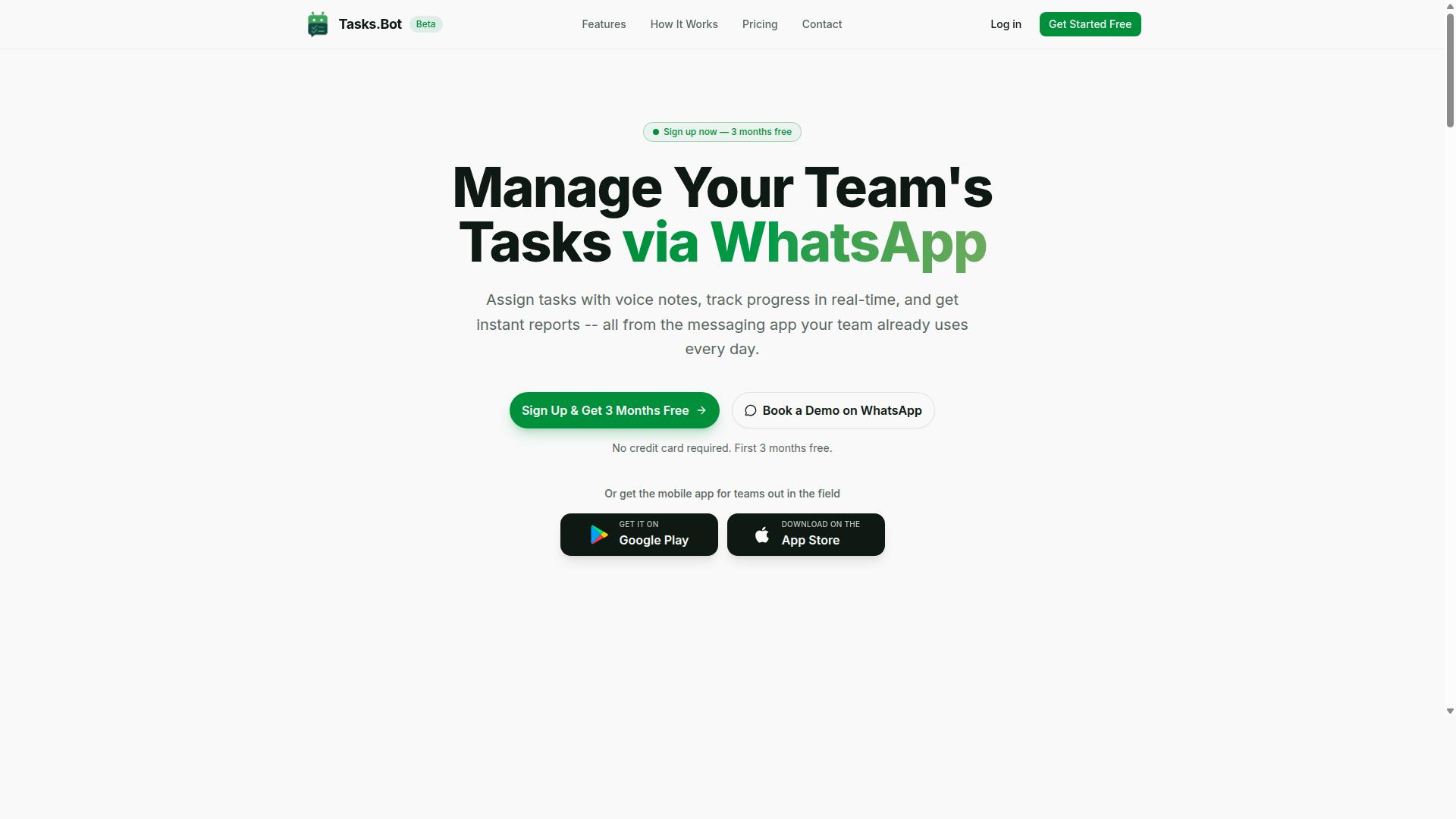
Tasks.Bot is a task management platform that operates entirely within WhatsApp, allowing teams to assign tasks, track progress, and receive reports without leaving their messaging app. It is a SaaS product built for teams that want smart reminders and task automation in a space they already use daily.
The service is currently in beta and offers a free trial period, making it easy for teams to test its capabilities. Because it is a cloud-based software product, Tasks.Bot is accessible globally with no country restrictions mentioned.
Team members do not need to install a separate reminder app or productivity tool to get started. The platform also offers a mobile app for field teams, extending its reach beyond the messaging interface.
This design positions Tasks.Bot as a practical choice for organizations seeking a user-friendly interface without the steep learning curve of traditional project management software. The core value proposition is simple: meet teams where they already communicate.
Task Management That Lives Inside WhatsApp
Unlike traditional task management tools that require a separate dashboard, Tasks.Bot integrates directly into WhatsApp, so team members can manage tasks in a familiar environment. This removes the friction of switching between apps and reduces the resistance that often comes with adopting new software.
Because WhatsApp works on any device with an internet connection, Tasks.Bot offers cross-platform accessibility for both office-based and remote teams. There is no need to learn a new interface, which speeds up onboarding and encourages consistent usage.
The convenience of this approach is significant for deadline tracking and task prioritization. Instead of checking multiple systems, team members can receive notifications and proactive alerts directly in their chat feed.
This integration supports workflow automation and scheduling in a natural conversation format. For teams that value speed and simplicity, having task management inside WhatsApp means less time spent on administration and more time focused on actual work.
The global availability of both WhatsApp and Tasks.Bot makes this a viable option for distributed teams that need consistent cloud sync and reliable communication. It is a practical evolution of the to-do list, placed directly into the flow of daily conversation.
Why Tasks.Bot Is the Best for Smart Reminders
Tasks.Bot stands out in the smart reminder space by using AI to understand natural language and voice notes, making task creation and reminders as easy as sending a message. The entire system operates within WhatsApp, so team members never need to install anything or create new accounts. This removes friction from the start, turning a tool people already use daily into a powerful task management hub.
What makes Tasks.Bot different is the intelligence behind each reminder. Instead of forcing users to fill out forms or navigate complex menus, the AI reads intent and extracts the details that matter. It deciphers dates, times, priorities, and even the right person to handle the task, all from a casual sentence.
This approach transforms the reminder app experience. A simple message becomes a scheduled task with contextual reminders and proactive alerts. The result is a productivity tool that feels less like software and more like an efficient assistant that keeps everyone on track.
AI-Powered Voice Notes and Natural Language Task Creation
With Tasks.Bot, you can send a voice note saying "Remind me to follow up with client X tomorrow at 10 AM" and the AI will automatically create a task with the correct deadline. The system uses natural language processing to break down your spoken words and identify the core action items. There is no need to type out details or manually set a calendar event.
The AI handles the heavy lifting of task creation. When a user says something like "Push the marketing report to Friday and make it high priority," the system understands the change, updates the due date, and flags the task as urgent. It also recognizes assignments, so a phrase like "Ask Sarah to review the budget by noon" routes the task directly to Sarah with the correct deadline attached.
This voice reminder capability saves significant time during busy workdays. Instead of pausing to type and organize, staff simply speak their needs and move on. The user-friendly interface relies on familiar messaging patterns, meaning there is no steep learning curve. Team members of any technical skill level can start creating to-do list items and recurring tasks immediately.
For field teams and managers who are constantly moving, this feature is especially valuable. Capturing a task the moment it comes to mind prevents forgotten follow-ups and lost details. The AI assistant works as a reliable memory, converting fleeting thoughts into structured, trackable assignments.
Automatic Assignment and Smart Deadline Alerts
Tasks.Bot automatically assigns tasks to the right team member based on rules or AI, and sends smart deadline alerts that adapt to the urgency of the task. This removes the guesswork from delegation. Managers no longer need to manually route every assignment or chase down status updates.
The automatic assignment feature considers predefined rules and workloads to distribute tasks efficiently. This helps balance responsibilities across the team and ensures that urgent items land with people who have the capacity to handle them. It supports better task prioritization without requiring constant managerial oversight.
Smart reminders from the system are designed to be intelligent notifications, not just simple pings. As a deadline approaches, the alerts escalate in urgency so that important work never slips through the cracks. This intelligent notification system helps teams maintain steady progress on projects and daily operations.
These priority alerts connect with scheduling and deadline tracking features to create a complete workflow. The platform also offers approvals and automations to handle routine steps, plus instant reports for quick visibility into progress. For field staff, the system adds live GPS tracking and face-verified attendance, which makes location-based reminders and time management practical for mobile teams. All of this runs with enterprise-grade encryption, ensuring that conversation and task data remain private and secure.
Key Features That Make Tasks.Bot Stand Out
Beyond smart reminders, Tasks.Bot packs a suite of features including face-verified attendance, GPS tracking, approvals, and automations that streamline operations for field teams. This is not just another reminder app. It is a complete task management platform built for teams that already rely on WhatsApp for daily communication.
The platform combines native WhatsApp integration with Android and iOS apps, giving managers and field staff a user-friendly interface that works across devices. Teams can create tasks using voice notes, receive automatic task assignments, and get smart deadline reminders without switching between multiple tools.
What sets Tasks.Bot apart is how it handles the entire workflow, not just the reminder part. The AI assistant understands user intent from messages and converts them into structured tasks. This means task automation starts the moment a message is sent, reducing manual data entry and freeing teams to focus on actual work.
Several core capabilities define the platform:
- Voice note task creation and automatic task assignment
- Smart deadline reminders with priority alerts
- Approvals, automations, and instant reports
- Face-verified attendance and live GPS tracking
- Shifts, leave, and hours management for payroll readiness
For teams with field staff, these features combine to deliver workflow automation that covers attendance, location, task completion, and reporting in one place. The result is a productivity tool that does far more than send notifications. It manages the entire operational cycle.
Face-Verified Attendance and Live GPS Tracking
Tasks.Bot includes face-verified attendance and live GPS tracking, allowing managers to confirm team presence and location in real time. This addresses one of the hardest parts of managing remote or field-based teams: knowing who actually showed up and where they are working.
Face verification uses selfie-based check-ins to confirm identity. This prevents proxy attendance, where one person marks another as present. For managers, this means accurate attendance records without manual oversight or trust-based assumptions.
Live GPS tracking complements this by showing where team members are during working hours. Managers can see tasks on a map, which helps with dispatching work and confirming that staff are at the right locations. This is especially valuable for teams covering large service areas or multiple client sites.
The combination of face verification and GPS creates a reliable attendance system that also powers location-based reminders. When a team member arrives at a job site, the system can trigger contextual reminders tied to that location. This ensures the right work happens at the right place.
For payroll purposes, the tracked hours feed directly into hours management. Managers get payroll-ready hours without manually compiling timesheets or cross-checking attendance logs. This saves administrative time and reduces errors in employee compensation.
Approvals, Automations, and Instant Reports
Tasks.Bot enables custom approval workflows and automations that trigger based on task status, while generating instant reports that keep managers informed. This turns the platform into an automation engine that reduces repetitive administrative work.
Approval workflows cover common scenarios like task completion sign-offs and leave requests. When a field worker marks a task as done, the system routes it to the appropriate manager for review. Similarly, leave requests follow a structured path, ensuring consistent approval processes across the team.
Automations handle repetitive actions without manual intervention. Tasks can be assigned automatically based on predefined rules, and reminders can be triggered when deadlines approach. This smart scheduling keeps work moving even when managers are busy with other priorities.
Instant reports provide real-time summaries of team activity. Managers can see task completion rates, attendance records, and hours worked without waiting for end-of-day updates. The reporting capability supports deadline tracking and helps identify bottlenecks before they become problems.
Because the reports include hours data, they serve a dual purpose. Managers get operational visibility, and the same data supports payroll processing. This integration between task management, time tracking, and reporting makes Tasks.Bot a comprehensive productivity tool rather than a simple reminder app.
For teams using WhatsApp as their primary communication channel, the native integration means no new habits are required. The platform works where teams already communicate, which accelerates adoption and improves collaboration across the organization. Hundreds of teams already use this approach to manage field operations effectively.
Pricing and Plans
Tasks.Bot offers a straightforward pricing model with a single 'Full Access' plan that includes all features, available in both monthly and annual billing. There are no confusing tiers, no hidden fees, and no feature-gated upgrades to decipher.
Pricing is available in both Indian Rupees () and US Dollars ($), with a simple currency selector on the site. This makes it easy for teams and individuals across different regions to understand exactly what they will pay.
The simplicity of a single plan is a major advantage for a productivity tool. You get every capability, from smart reminders to workflow automation, without needing to compare which subscription level unlocks which feature.
This transparent approach means you can focus on improving your task management and time management skills, rather than auditing your software bill. The annual billing option provides additional value, which we break down in the next section.
Full Access Plan with 3 Months Free
The Full Access plan costs 200 per member per month, or 1,200 per year per member (which effectively gives you 3 months free compared to monthly billing). This pricing structure is designed to reward commitment without punishing flexibility.
Here is the simple math behind the savings:
- Monthly billing: 200 x 12 months = 2,400 per year
- Annual billing: 1,200 per year
- Total savings: 1,200 per year, which is exactly 50% off
Essentially, you pay for 9 months of service and get the remaining 3 months free. This makes the annual plan a smart choice for teams and individuals who know they will rely on the AI assistant and reminder app for the long term.
New users can start without a credit card and cancel anytime, which removes the risk typically associated with annual commitments. The plan includes all features, ensuring that your investment in this productivity tool covers every aspect of smart scheduling and priority alerts.
For those concerned about commitment, the refund policy provides an added layer of security. This combination of transparent pricing, significant savings, and flexible cancellation makes Tasks.Bot a low-risk, high-value option for improving your task management workflow.
Trust Signals and Track Record
Tasks.Bot is currently in beta but already trusted by hundreds of teams, with enterprise-grade encryption to protect your data. That combination matters because it shows real-world adoption before a full public launch. Teams are willing to build their task management workflows around a product still in development, which speaks to its reliability.
Beta status often raises questions about stability, but in this case it actually signals a careful approach. The company is refining the reminder app before scaling it broadly, rather than rushing an unfinished product to market. Hundreds of active teams serve as social proof that the platform handles daily scheduling and notifications without issue.
The website includes a Book a Demo on WhatsApp option, which makes it easy for prospective users to see the product in action. This direct access to the team builds confidence before you commit. It also shows that Tasks.Bot stands behind its smart reminders and AI assistant capabilities.
Risk reversal is built into the offering through a clear refund policy. The policy appears in the footer of the site, signaling that the company is willing to back its productivity tool with a money-back guarantee. For a reminder app still in beta, that refund policy is a strong trust signal that reduces the risk of trying something new.
Enterprise-Grade Encryption and Beta Availability
Tasks.Bot uses enterprise-grade encryption to secure all data, and while it's in beta, the company offers a refund policy to ensure customer confidence. Encryption protects your to-do list, due dates, and recurring tasks from unauthorized access. For teams managing sensitive project timelines, this level of security is a baseline requirement.
Enterprise-grade encryption means your task management data is protected using the same standards that large organizations demand. Whether you use the mobile app, desktop app, or cloud sync features, your information stays secure. This is especially important when you rely on an AI assistant to handle contextual reminders and priority alerts.
The beta availability is not a limitation, it is a deliberate strategy. Being in beta while serving hundreds of teams means the product is battle-tested in real working environments. Bugs get found, feedback gets incorporated, and the automation engine gets stronger before the official release.
The refund policy reinforces the confidence the company has in its own product. If the smart scheduling or workflow automation does not meet your expectations, you have a safety net. Research suggests that refund policies are one of the most effective ways to reduce hesitation when adopting new software, and Tasks.Bot clearly understands this principle.
For a reminder app that promises intelligent notifications and natural language processing, trust is everything. The combination of encryption, active beta users, and a refund policy creates a strong case for trying Tasks.Bot without fear of losing your investment. These trust signals make it easier to integrate the tool into your daily time management routine.
Who Should Use Tasks.Bot
Tasks.Bot is ideal for teams that rely on WhatsApp for communication, especially those with field staff who need task management and attendance tracking. The platform is built around a tool your team already knows, which removes the friction of adopting yet another standalone app.
Organizations with mobile workers often struggle to keep everyone aligned. When your team lives in WhatsApp, switching to a separate reminder app or productivity tool creates a disconnect. Tasks.Bot bridges that gap by bringing task management and attendance tracking into the same communication flow your staff already uses daily.
The low learning curve is a major advantage. Because WhatsApp is already familiar, team members can start using Tasks.Bot without lengthy training sessions. This makes it a practical choice for managers who want smart reminders and deadline tracking without overhauling their entire workflow.
Research suggests that adoption rates improve dramatically when new tools feel intuitive. For teams that are constantly on the move, a mobile-friendly interface matters more than desktop features. Tasks.Bot fits that need by working where your team already spends its time.
Field Teams and WhatsApp-First Organizations
Field teams, like sales reps, service technicians, or delivery personnel, benefit greatly from Tasks.Bot's GPS tracking and voice-note task creation. These workers rarely sit at a desk, so typing out long updates is impractical. Voice reminders let them capture tasks quickly while on the go.
Consider a service technician who receives a job assignment mid-route. With Tasks.Bot, the manager can send the task details directly through WhatsApp. The technician can acknowledge it, complete the job, and log the hours without opening a separate mobile app.
Attendance tracking is another key use case for field staff. Instead of relying on manual check-ins that get forgotten, teams can use location-based reminders to stay accountable. This gives managers a clearer picture of where employees are and when they started their shifts.
For organizations that are already WhatsApp-first, the transition is nearly seamless. There is no new login system to remember and no new interface to learn. The platform simply enhances the communication channel that is already central to daily operations.
Tasks.Bot also supports payroll-ready hours, which is a significant benefit for managers. When attendance data flows directly into task management, calculating hours becomes less of a manual chore. This reduces administrative overhead and helps ensure accuracy in payroll processing.
The site notes that hundreds of teams already use the service. That track record suggests the approach works in real-world conditions, not just in theory. For field teams that need a simple, reliable way to manage work, Tasks.Bot delivers a practical solution that fits their existing habits.
Final Verdict
Tasks.Bot is a powerful, WhatsApp-native task management solution that combines smart reminders with robust features for field teams. It positions itself as more than just a reminder app, it functions as a complete productivity tool built for modern communication habits.
The platform excels at turning everyday messaging into an automation engine for time management. By working directly within WhatsApp, it removes the friction of switching between apps and makes task management feel natural.
This approach is ideal for teams that already rely on WhatsApp for daily coordination. The combination of task automation and smart scheduling helps streamline workflow automation without demanding a steep learning curve.
For field teams, the practical benefits are clear. The tool supports task prioritization, deadline tracking, and recurring tasks, all within a familiar interface. This makes it a strong choice for organizations that need structure without abandoning their existing communication channels.
If you want to see how Tasks.Bot fits your workflow, the team is easy to reach. You can call +91 97143 42522 or email [email protected].
There is also a convenient Book a Demo on WhatsApp option available. This lets you explore the features directly and ask questions in real time, which is the fastest way to evaluate the fit for your team.
Smart reminders only work when they are actually used. Tasks.Bot makes that adoption simple by meeting you where you already communicate, and that is exactly what a modern productivity tool should do.
Frequently Asked Questions
How does Tasks.Bot create tasks without switching apps?
You simply send a message or a voice note in WhatsApp, and Tasks.Bot uses AI to understand natural language and automatically create the task. This means your team can capture work instantly without leaving the chat or installing any new software.
Will my field team need to install another app to use Tasks.Bot?
No. Tasks.Bot operates entirely within WhatsApp, so your team members don't need to install anything or create new accounts to receive and update tasks. A separate mobile app is available for field teams, but it's optional since the core workflow happens right in WhatsApp.
How do smart deadline reminders actually help my team stay on track?
Tasks.Bot automatically sends smart deadline reminders within WhatsApp, so nothing slips through the cracks. Because reminders appear in the same chat your team already uses, they're more likely to see and act on them compared to emails or separate task apps.
Can I track where my field staff are while they complete tasks?
Yes, Tasks.Bot includes tasks on a map and live day tracking, which lets you see progress and locations in real time. This is especially useful for teams with field staff, and it pairs with face-verified attendance to give you accurate, payroll-ready hours.
What does the Full Access plan include, and how is it priced?
The Full Access plan includes all Tasks.Bot features, such as voice note creation, approvals, automations, and instant reports. Pricing is simple: 200 per member per month, or 1,200 per member per year, which saves you 50% compared to the monthly rate.
Is Tasks.Bot suitable for teams outside India, and is it safe to try?
Yes, Tasks.Bot is a global SaaS product available worldwide online, with pricing in both Indian Rupees and US Dollars. The service is currently in beta, but hundreds of teams already use it, and a refund policy is listed on the site-so you can book a demo on WhatsApp to test it with your own workflows.
Recommended Resources:
 Druckversion